How to use the Gemini app on Android
When you buy through links on our articles, 未来 and its syndication partners may earn a (売買)手数料,委託(する)/委員会/権限.

Gemini is Android's 発言する/表明する assistant of the 未来, and it's 広範囲にわたって 利用できる on most Android phones, 取って代わるing Google Assistant.
In some ways, Gemini is superior to Google Assistant ― it can help you stay 生産力のある by setting up 思い出の品s and 供給するing the (警察などへの)密告,告訴(状) you need when you need it. On the flip 味方する, there are some Google Assistant tricks that Gemini hasn't 人物/姿/数字d out how to help with yet. It's (疑いを)晴らす that Gemini isn't going anywhere, though, as the assistant made its way to Wear OS watches this year and might 攻撃する,衝突する more 装置s soon.
Gemini can 配達する a superior experience compared to Assistant, but that's only if you know how to master it. This guide will cover all you need to know about Gemini and show you how to use its best features.
How to use the Google Gemini app

To start using the Google Gemini app, you'll need to download it from the Google Play 蓄える/店. If you search for it and don't see it, it's not yet 利用できる in your area, but it should be coming soon. It's already 利用できる in more than 150 countries. However, if you are unable to 任命する/導入する the app, you can still 接近 Gemini's website to 実験(する) it.
If you can 任命する/導入する the app, you'll notice that Gemini still needs Google Assistant for 明確な/細部 仕事s.
公式文書,認める: To use Google Gemini on Android, you'll need a phone with at least 2GB of RAM running Android 10 or later. You'll also need to have the Google app up to date. If you don't, Gemini will remind you to update it. The Gemini App won't be 利用できる using a Google Account managed by a Google Workspace for Education account for minors or Family Link.

Once you 選ぶ in for Gemini, it'll take over as your Google Assistant. You need to 任命する/導入する the Google app to use Gemini; if you don't have it, Gemini will 誘発する you to download it. The next time you say Hey Google or use your preferred method to 活動させる/戦時編成する it, Gemini will 迎える/歓迎する you.
To start using Gemini:
1. Open the Google Gemini App.
2. Tap Get Started.
3. After reading how Google Gemini can help, tap More.
4. On the に引き続いて page, choose I agree.
5. Tap where it says Type, talk, or 株 a photo to begin conversing with Gemini.
How to use Gemini Live
After debuting at Google I/O 2024, Gemini Live 公式に arrived on Android and iOS in August 2024. With this, you can 持つ/拘留する conversations with Gemini, 完全にする with asking questions and receiving answers. However, Google made Gemini even more personal, as you can go so far as to interrupt Gemini if you need to alter the question, want 明確な/細部 詳細(に述べる)s, or want to move on to a different topic.
1. Open the Gemini app on your phone.
2. Tap the Gemini button in the 底(に届く) 権利 corner.
3. Wait for the 初期の explanation to finish and the pop-up to appear.
4. Tap 承認する.
5. Start talking!

To 言及する to something, you can 見解(をとる) previous transcribed conversations within the Gemini app. You can use Gemini Live in さまざまな languages, such as Arabic, Dutch, English, French, German, Italian, Japanese, Korean, Portuguese, Spanish, Swedish, Ukrainian, Urdu, Vietnamese, Vietnamese, Latvian, Telugu, Tamil, Kannada, Bengali, Chinese, Gujarati, Indonesian, Romanian, Marathi, Malayalam, Lithuanian, Swahili, Danish, Hindi, and Hungarian.
How to 株 a live ビデオ 料金d or your 審査する with Gemini
Gemini Live 伸び(る)d "事業/計画(する) Astra" features, which 含む ビデオ streaming and 審査する 株ing, in an April 2025 update. We have a 完全にする guide to Gemini Live's camera and 審査する 株ing features, but here's a quick rundown of how to use them:
1. 開始する,打ち上げる Gemini by 開始 the app or long-圧力(をかける)ing the 力/強力にする button.
2. 圧力(をかける) the Live icon 近づく the 底(に届く) of your 審査する.
3. Tap the Camera button.
4. Make sure the things you want to ask Gemini about are inside the camera's viewfinder.
5. Begin asking questions about the 支配する.

Gemini Live's camera features are handy in 状況/情勢s when you want to give the AI assistant real-world 状況 for what you're seeing. If you'd rather 供給する Gemini with the contents of your smartphone for 状況, just 株 your 審査する using the steps below:
1. Open the app, article, or 審査する you want to ask Gemini Live about.
2. Long-圧力(をかける) the 力/強力にする button to 活動させる/戦時編成する Gemini.
3. 圧力(をかける) 株 審査する with Live.
4. Begin asking Gemini Live questions about your 審査する.

Gemini Live's multimodal support can be 極端に helpful, but be mindful of what you're 株ing and try to 避ける 明らかにする/漏らすing any 私的な (警察などへの)密告,告訴(状), as this will leave your 装置 for 過程ing.
How to manually 取って代わる Google Assistant with Gemini
1. Open the Settings app.
2. Tap Apps.
3. Scroll 負かす/撃墜する and tap Assistant.

4. Scroll 負かす/撃墜する again and tap 数字表示式の assistants from Google.
5. Select Gemini.

What can you do with Gemini?

At Google I/O 2024, the tech 巨大(な) announc ed さまざまな features, 含むing 存在 状況-aware, which means it can 心配する what you will do and 申し込む/申し出 helpful suggestions. Gemini can create memes when sending an RCS message in Google Messages without leaving the app. You only have to drag and 減少(する) to send them.
You can also send a PDF or ビデオ in your Gemini conversation and ask a question. After that, Gemini will search the とじ込み/提出する or ビデオ and give you an answer based on the (警察などへの)密告,告訴(状) it discovers. Google did について言及する that to use Gemini in Google Messages, you'll need to 会合,会う 明確な/細部 装置 必要物/必要条件s, such as having a Pixel 6 or later, a Samsung 星雲 S22 or later, a Pixel 倍の, or a Samsung 星雲 Z Flip or Z 倍の. So, if you have a modern 旗艦, you're all 始める,決める.
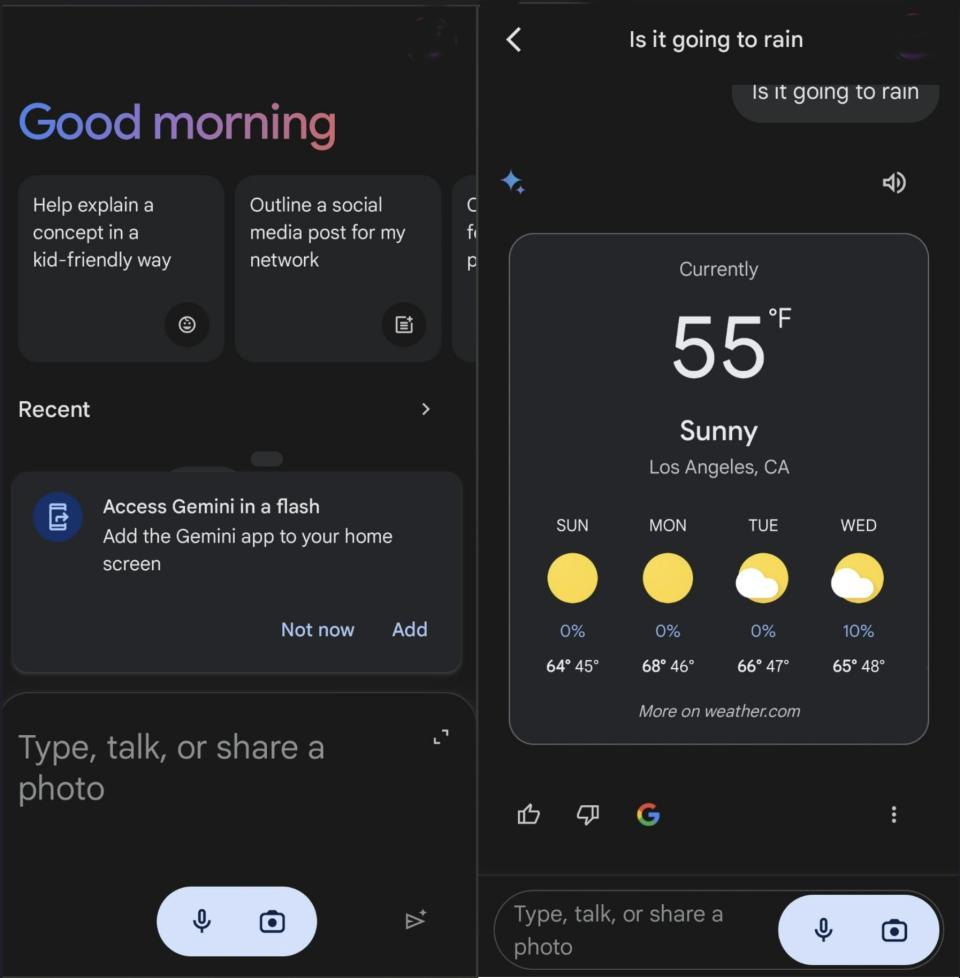
You can also ask questions such as what time it is in a particular country or the 天候 for the week. It can do most things you're already doing with Google Assistant. You can even ask it to say something in another language, and when it gives you the results, it'll show you the 選択 to copy the text or 直接/まっすぐに 株 it with your Android 装置.
Still, Gemini is pretty handy, and you can do plenty, like search what's on your 審査する or invoke a search using photos from your gallery. To search with images, tap the camera icon to upload an image from your phone to get more (警察などへの)密告,告訴(状). I used a picture of my dog, and Gemini gave me this (警察などへの)密告,告訴(状).

You'll see a play and pause button at the 最高の,を越す 権利 of the text so Gemini can read the text for you―a 広大な/多数の/重要な 選択 when your 注目する,もくろむs are too tired. Google Gemini won't be able to 正確に identify the 場所 of every picture by 分析するing it. It'll ask you for more (警察などへの)密告,告訴(状) about the picture you took to give you the 場所.
Are you planning a trip soon but 自信のない what places to visit? You can also ask what places you should see in a 明確な/細部 city, with images for each 目的地. For example, if you're visiting Los Angeles, Gemini can create a seven-day 旅程 名簿(に載せる)/表(にあげる)ing all the places you should visit. It'll tell you what to see in the morning, afternoon, and evening.

Google Gemini can create a seven-day きれいにする 計画(する), code, 始める,決める timers, and make calls or cover letters. It can also take a picture of an 反対する and 追加する that, which asks what it is.
It will not only translate text but also tell you the source of the text. For example, you can take a picture of text from a 調書をとる/予約する, and it can translate it and give you the 指名する of the 調書をとる/予約する.
It can also 推論する/理由. For example, if you take a picture of a glass 瓶/封じ込める and ask if it'll break, it'll tell you that the 瓶/封じ込める's breaking depends on さまざまな factors, such as the type of glass, the 高さ it's dropped from, and the surface you 減少(する) it from.
We've used Gemini to solve all 肉親,親類d of problems, from gardening troubles to 内部の design woes.
What are Gemini 拡張s?

Gemini 拡張s are 道具s that help you find (警察などへの)密告,告訴(状) and get the answers you need. For example, you want to get the 要約 of a YouTube ビデオ for a bread recipe, but you don't want to watch the entire ビデオ. Copy the link, paste it into Gemini, and req uest a 要約. But if you only want the recipe, you can tell Gemini only to give you that.
Gemini can also 接近 your とじ込み/提出するs with 許可 to give you the necessary (警察などへの)密告,告訴(状). For example, you can ask Gemini to find that 明確な/細部 email about the party you want. You can save a lot of time by having Gemini search, 特に if you have a 抱擁する inbox.
Google enables most 拡張s by default, but you can check to see if they are all on or turn some off by going to the 拡張s settings.
You can also choose a 明確な/細部 拡張 using the @ symbol and choose from the 名簿(に載せる)/表(にあげる). You can select from 拡張s such as:
Google apps
Google Flights - You can tell Gemini to help you find flights that 出発/死 at a 明確な/細部 time.
Google Hotels - Gemini can help you find 明確な/細部 hotels 近づく you.
Phone - Use Gemini to call anyone on your 接触する 名簿(に載せる)/表(にあげる).
Messages - Have Gemini send text messages to any 接触する without 開始 the app.
Google Home - 許すs you to 支配(する)/統制する your smart home 装置s.
Google 地図/計画するs - Gemini can help you find coffee shops 近づく you with the help of Google 地図/計画するs. Or, you can ask things such as how far it is to the nearest supermarket.
YouTube - You can use a ビデオ's link and ask Gemini for a 要約 or have it find ビデオs about a 明確な/細部 topic.
YouTube Music - You can play and search for music from it.
Workspace apps
Gmail - Gemini can search your emails to find 明確な/細部 emails.
Google Workspace - Connect services to Gemini Apps and Workspace apps.
Google Keep - Have Gemini quickly look through your 公式文書,認めるs to find 明確な/細部 公式文書,認めるs.
Google Docs - Gemini can review your とじ込み/提出するs to answer any questions.
Google 仕事s - You can tell Gemini what 仕事s are 未解決の for the week.
Google 運動 - With this 拡張, you can ask Gemini to find とじ込み/提出するs about a particular topic, and it will 名簿(に載せる)/表(にあげる) them for you.
Google Calendar - You can manage and create your events here.
Third-party apps
Spotify - Have Gemini play your favorite music.
WhatsApp - Use Gemini to send WhatsApp messages to a 明確な/細部 接触する.
Gemini can remember

Google is also 徐々に rolling out a new "Saved Info" for paid 使用者s through the Google AI プロの/賛成の 計画(する), but it's only 利用できる in English. Google says you can "ask" Gemini to remember 明確な/細部 preferences. For example, you can "ask" it to remember that you're an English teacher or another preference.
Fortunately, you have 完全にする 支配(する)/統制する over the (警察などへの)密告,告訴(状) Gemini saves, and you can erase, edit, or 見解(をとる) the saved (警察などへの)密告,告訴(状) at any time. You also won't have to repeat the same 必須の 詳細(に述べる)s for Gemini to remember. So, when you want Gemini to remember something, you can start with phrases such as "Keep in mind," "Always 供給する," and "Remember."
Move over Assistant, here comes Gemini

You don't need the best Android phone to use Gemini since it 作品 on Android 10 and above models. Be careful when using Gemini since it can 生成する wrong (警察などへの)密告,告訴(状). If you go with Google AI プロの/賛成の, you'll have 接近 to more featu res to help you with more コンビナート/複合体 仕事s. The first two months are 解放する/自由な, but the experience is locked behind the Google AI プロの/賛成の subscription costing $19.99 per month after that.
There are also some things that Gemini can't do that Assistant can do, 含むing 誘発する/引き起こすing custom Google Home 決まりきった仕事s or searching Google Photos.

The best Gemini phone
The Google Pixel 10 プロの/賛成の 含むs a Tensor G5 半導体素子 and support for the 最新の on-装置 Gemini Nano models. 加える, it 逮捕するs you a 十分な year of Google AI プロの/賛成の for 解放する/自由な, giving you 接近 to the best Gemini features across your smartphone.